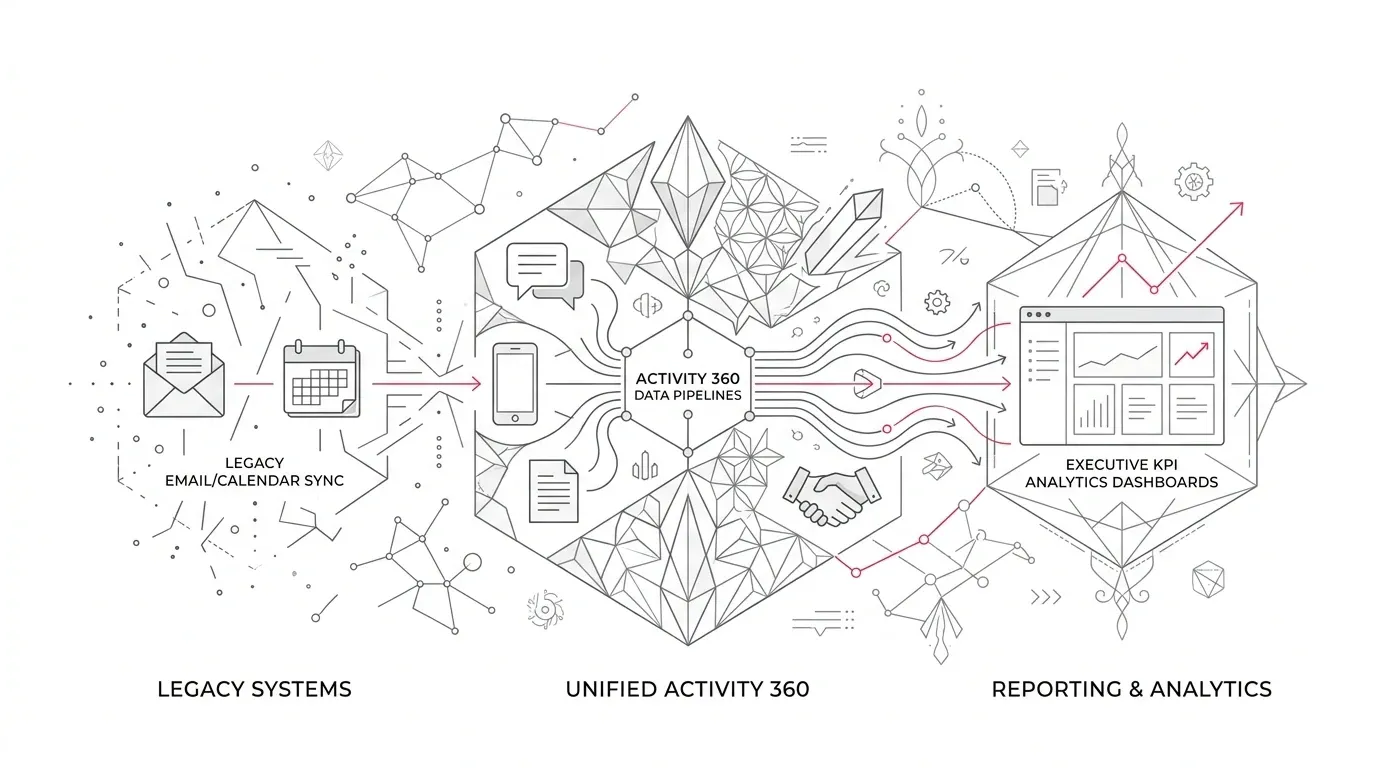
Salesforce is retiring four Einstein Activity Capture features with Spring '27 in February 2027:
- Activity 360 Reports
- Activities Dashboard
- Activity Metrics
- Recommended Connections
This is not a routine interface change. After retirement, reports built on the UnifiedEmail, UnifiedMeeting, UnifiedTask, and associated participant objects stop returning data. Activity Metrics fields stop populating and return null in reports or custom logic. The Activities Dashboard is no longer accessible, and Salesforce says its historical dashboard data is not retained. Recommended Connections no longer appears on record pages or Seller Home. Salesforce published the retirement details on September 8, 2026 .
The good news is equally important: Salesforce is not retiring the underlying email and activity capability. It is moving customers toward Sync Email as Salesforce Activity, where matched emails are stored as standard Task and EmailMessage records. That makes the data available to standard reports, APIs, flows, triggers, and other platform services.
Salesforce began automatically migrating orgs to the new architecture on a rolling basis in June 2026, and each org has a unique automigration date. Some organizations may already be on the platform-native model; others may still have an opportunity to choose how much history migrates and whether new capture includes full content or headers only. Check the EAC settings in each org now rather than treating February 2027 as the first date that matters. Review Salesforce's migration instructions .
The difficult part is not switching on a replacement report type. It is preserving the business meaning, history, access rules, privacy choices, storage model, and downstream behavior that leaders currently trust.
What is retiring, and what replaces it?
| Retiring feature | What changes after Spring '27 | Salesforce's replacement direction | Migration risk to resolve |
|---|---|---|---|
| Activity 360 Reports | Legacy report types and Unified activity objects stop returning data | Standard Activity report types using Task, Event, and EmailMessage data | Existing filters, joins, formulas, and historical comparisons may not have direct semantic parity |
| Activities Dashboard | Dashboard becomes unavailable and historical dashboard data is not retained | Salesforce reports and dashboards or Tableau | Historical trends and executive baselines can disappear unless preserved before retirement |
| Activity Metrics | Precalculated fields stop populating; references can return null | Standard reports, flows, triggers, or scheduled jobs that calculate organization-specific metrics | Code, Flow, validation, scoring, page layouts, and decisions may silently consume blanks |
| Recommended Connections | Suggestions disappear from record pages and Seller Home | Custom connection insights using invocable actions on activity data | A replacement needs an explicit business rule, access model, quality measure, and owner |
Salesforce's replacement direction is sensible: store captured activity as platform records and use standard Salesforce capabilities. But “standard” does not mean “identical.” Before rebuilding anything, find out what the current outputs actually do for the business.
Why this migration is more than a reporting project
Legacy EAC reporting was shaped by an external activity store and purpose-built reporting objects. Sync Email as Salesforce Activity changes that architecture. Matched emails become Task and EmailMessage records in the Salesforce org; they can participate in reporting and automation, and they count toward Salesforce data storage.
That creates five linked decisions.
1. Metric meaning
An “email count” can mean sent emails, received emails, distinct conversations, activities related to an opportunity, activities owned by a rep, or messages involving a rep. A new report can be technically correct and still change the management conclusion if it counts a different entity or relationship.
2. Historical continuity
Executives may compare current pipeline engagement with prior quarters. Compliance, audit, or grant teams may need evidence of who contacted whom and when. Salesforce states that historical Activities Dashboard data is not retained after retirement, so preservation cannot wait until the old dashboard is gone.
3. Automation behavior
Activity Metrics may feed formulas, segmentation, opportunity scoring, validation, Flow, Apex, data exports, or external analytics. A null value might not throw an obvious error; it can simply produce the wrong score, omit a record, or route work incorrectly.
4. Privacy and sharing
Platform-native records use Salesforce activity sharing. The migration also requires a choice between full email capture and header-only capture for new email. That decision affects what content is stored, who can see it, and which downstream features can use it.
5. Storage and performance
Salesforce's current guidance says synced email records count toward the org's data storage allocation. A design that improves reportability can therefore create a new storage and archiving problem if volume, retention, and deletion are not modeled.
A seven-step migration plan
Step 1: Confirm exposure in every org
Do not assume that a global EAC decision applies uniformly. Production, sandboxes, acquired business units, regional orgs, and separate Sales Cloud environments can have different settings and dependencies.
Salesforce identifies four org preferences associated with the retiring features:
- `UnifiedActivitiesPref` for Activity 360 Reporting
- `ActivityAnalyticsEnabled` for the Activities Dashboard
- `ActivityIQPref` for Activity Metrics
- `AddRcCompToFlexiPages` for Recommended Connections
For each org, record whether the feature is enabled, the responsible owner, the affected user groups, and the org's actual Spring '27 upgrade date. Salesforce retirements tied to a seasonal release take effect when the instance is upgraded, not at an assumed universal hour.
Step 2: Inventory dependencies, not just visible reports
Start with saved reports using Unified Email, Unified Meeting, Unified Task, or related participant report types. Then widen the search.
Look for:
- dashboards and subscriptions built on those reports;
- formulas, validation rules, Flow, Apex, and Lightning components that reference Activity Metrics or related fields;
- data extracts, middleware jobs, spreadsheets, data warehouse models, and executive scorecards that consume legacy outputs;
- record-page layouts that expose Activity Metrics or Recommended Connections;
- pipeline, territory, coaching, fundraising, account-management, or partner-management processes that use the results;
- written policies or performance targets defined in terms of those metrics.
For every dependency, identify the business decision it supports. “Weekly activity dashboard” is an asset. “Regional managers use it on Monday to identify opportunities without buyer engagement in the last 14 days” is a requirement that can be tested.
Step 3: Preserve history before it becomes inaccessible
Because Salesforce says historical Activities Dashboard data is not retained, decide what history must remain available and in what form.
Preserve enough information to answer three questions:
- What did the old metric mean?
- What were the historical values and reporting periods?
- Can the new calculation be reconciled to a defined overlap period?
An export is not automatically useful evidence. Document report filters, time zones, ownership rules, excluded users, aggregation logic, and known limitations alongside the data. Store the result in an approved location with appropriate access, retention, and deletion controls.
Healthcare organizations and insurers should involve privacy, security, records, and legal teams where activity data can contain sensitive operational or personal information. Nonprofits should apply the same discipline to donor, beneficiary, grantee, and partner communications. This is operational guidance, not a compliance determination.
Step 4: Design the Sync Email as Salesforce Activity configuration
If the org has not already updated, Salesforce provides an Update & Migrate process. Its documentation warns that the migration cannot be stopped or rolled back. Admins choose the amount of previously captured email to migrate and whether future capture stores the full message or only the header.
Make those choices deliberately:
- Full capture supports more context but stores the subject and body, increasing privacy, access, and storage considerations.
- Header-only capture stores sender, recipients, date, and time without the subject or body. It can reduce content exposure but is incompatible with some generative AI features.
- Historical migration is bounded by the data available under the legacy retention setting and by the migration choices shown in Setup. Separately, Salesforce's current considerations for initial historical sync document up to 50,000 emails per user from the past 180 days. Confirm which limit applies to the org's path before setting expectations.
- Matching determines whether the email becomes a Task and EmailMessage record. If no CRM record matches, Salesforce says those records are not created.
Write an approved configuration decision before initiating an irreversible migration. Include the data owner, privacy rationale, expected volumes, retention treatment, and any features that the capture choice enables or limits.
Step 5: Rebuild outcomes, not screenshots
Do not recreate every old widget by default. Classify each asset:
- Retire: no user or decision depends on it.
- Replace: the same business question remains valid and can be answered through standard Activity reporting.
- Redesign: the old metric was ambiguous, misleading, or constrained by the legacy architecture.
- Escalate: the requirement needs Tableau, a data platform, custom development, or a product decision.
For each replacement, define a metric contract:
- business question;
- source objects and relationships;
- inclusion and exclusion rules;
- owner and viewer access;
- time zone and reporting period;
- calculation frequency;
- expected latency;
- reconciliation tolerance;
- action taken when the metric crosses a threshold.
If Activity Metrics currently populates fields used in automation, decide whether a report is sufficient. A dashboard calculation does not replace a persisted field when Flow, Apex, or an integration needs the value. Salesforce suggests flows or scheduled jobs for real-time or persisted metrics, but the right design depends on volume, timing, transaction limits, and the cost of a stale result.
Step 6: Model storage, matching, duplicates, and access
Salesforce's current documentation identifies several limits that should become test cases:
- Synced Task and EmailMessage records count toward Salesforce data storage.
- A user can sync up to 50,000 historical emails from the past 180 days.
- Salesforce considers up to 50 unique addresses from the From, To, and Cc fields when associating an email.
- Attachments are not synced into Salesforce.
- Email that matches no CRM record does not become a Task or EmailMessage record.
- Manual email logging can create duplicates alongside automatic sync.
- Standard email fields drive default matching; custom email fields require a customized Activities: Match Email to Records flow.
- Complex matching rules can slow queries and email synchronization.
Estimate monthly record growth from representative mailboxes, not averages alone. High-volume service, broker, provider-relations, fundraising, and partnership users can dominate storage. Define an archiving and deletion approach before storage pressure forces an emergency response.
Test access as real personas. Confirm who can view the Task, EmailMessage, subject, body, and related records after association. Review excluded addresses and domains, internal-email treatment, role hierarchy effects, shared activities, and the behavior of integrations or backup products that will now see platform records.
Step 7: Prove equivalence through a controlled cutover
Run the old and new outputs in parallel for a representative period where possible. Reconcile at several levels:
- total records by type and day;
- emails sent and received by representative users;
- association to contacts, accounts, leads, and opportunities;
- visibility by role and sharing model;
- downstream Flow, Apex, API, export, and dashboard behavior;
- storage growth and sync latency;
- exception populations such as unmatched, excluded, duplicated, oversized, or multi-recipient emails.
Differences are not automatically defects. The architectures can count and associate data differently. Every material variance should be explained, accepted by the business owner, and reflected in training or metric definitions.
Cut over by business capability, not just by metadata deployment. A report is not complete until its consumers can use it, its subscriptions work, its downstream decisions have been tested, and someone owns post-release monitoring.
Industry-specific implications
Healthcare providers and health insurers
Activity data can support provider relations, member services, care coordination, referral management, sales, network operations, and account management. It can also contain sensitive content or create an incomplete operational picture when excluded addresses, unmatched records, attachments, or privacy choices remove part of the interaction.
Treat activity reporting as an operational dataset, not a clinical record or compliance control by default. Validate whether a workflow needs message content, metadata, an attachment, or evidence from another system of record. Require qualified privacy, security, records, and legal review for the organization's particular use.
Insurers
Broker, policyholder, employer, and claims communications may influence renewal, service, and distribution dashboards. Before replacing a metric such as “last contact” or “engagement count,” determine whether it is used merely for prioritization or contributes to a consequential decision. Rebuild the metric with transparent inclusion rules and a human owner.
Nonprofit foundations
Foundations may use activity data to understand donor stewardship, applicant support, grantee engagement, partner coordination, and board or executive outreach. The migration is an opportunity to stop measuring raw outreach volume as a proxy for relationship quality. Preserve required history, but redesign dashboards around meaningful outcomes such as completed follow-up, resolved applicant questions, milestone engagement, or documented next steps.
A practical timeline to February 2027
October 2026: Discover and decide
- Confirm enabled features and instance upgrade dates.
- Inventory reports, dashboards, fields, code, Flow, integrations, and business decisions.
- Assign business, technical, data, and risk owners.
- Decide what historical output must be preserved.
November-December 2026: Configure and rebuild
- Approve full-content or header-only capture and retention choices.
- Model storage and archiving.
- Build standard reports, dashboards, persisted metrics, and replacement automation.
- Update external extracts and documentation.
January 2027: Reconcile and rehearse
- Validate representative data and personas in a sandbox and controlled production cohort.
- Compare old and new metrics over an overlap period.
- Test failure, duplicate, unmatched, privacy, storage, and access scenarios.
- Rehearse cutover, rollback for custom components, monitoring, and communications.
Before the instance's Spring '27 upgrade: Cut over
- Move subscriptions and consumers to the replacement outputs.
- Preserve approved historical evidence.
- Remove or disable obsolete dependencies where safe.
- Monitor record volume, sync latency, report completeness, automation errors, and user-reported discrepancies.
Questions leaders should ask now
- Which business decisions will fail or become unreliable if an Activity Metric returns null?
- Which reports use Unified activity objects, and who consumes their data outside Salesforce?
- What historical dashboard evidence must be preserved before Salesforce removes access?
- Has the organization approved full email content in Salesforce, or should it use header-only capture?
- What will Task and EmailMessage growth cost in storage and archiving?
- How will unmatched emails, excluded domains, attachments, duplicates, and custom email fields affect completeness?
- Can the replacement metrics be reconciled to an overlap period and explained to their business owners?
- Who will monitor the new activity data service after cutover?
The leadership takeaway
The February 2027 retirement is not a reason to panic, but it is a reason to start before year-end change freezes and January testing bottlenecks.
The strongest migration will not reproduce the legacy EAC layer pixel for pixel. It will identify the decisions that matter, preserve the history that has a legitimate purpose, move activity data into a governed platform model, rebuild metrics with explicit definitions, and prove the new outputs through representative business workflows.
Yuniq's Salesforce services include consulting, custom development, integration, migration, validation, and ongoing support. For organizations that need help before Spring '27, a focused engagement can inventory EAC dependencies, redesign reports and automation, model storage and privacy impacts, and validate the cutover against real sales, service, fundraising, or partner-management workflows.
4. Publishing notes
Suggested featured-image concept
An editorial, realistic desktop scene showing a Salesforce administrator and analytics leader reviewing two activity-reporting states on a large monitor: a fading legacy dashboard on the left and a clean platform-native activity report on the right. Include subtle email, calendar, report, and data-storage cues. Use a professional healthcare or insurance office environment, neutral lighting, and no visible Salesforce or Yuniq logos unless brand usage is approved. Avoid futuristic AI imagery and alarmist warning symbols.
Suggested alt text
Salesforce leaders compare legacy Einstein Activity Capture reporting with platform-native email and activity reports before the February 2027 retirement.
Suggested social post excerpt
Four Einstein Activity Capture features retire with Salesforce Spring '27: Activity 360 Reports, the Activities Dashboard, Activity Metrics, and Recommended Connections. The underlying activity capability remains, but reports can go blank, metrics can return null, dashboard history will not be retained, and platform-native email records can change storage, privacy, matching, and automation. Our migration guide explains what to inventory, preserve, rebuild, and test before February 2027.
Source list
- Retirement and Impact of Einstein Activity Capture Features: Activity Metrics, Activities Dashboard, Recommended Connections, and Activity 360 Reports - Salesforce Help - Published September 8, 2026 - https://help.salesforce.com/s/articleView?id=005385951&language=en_US&type=1
- Salesforce Active Product & Feature Retirements - Salesforce Help - Updated October 3, 2026 - https://help.salesforce.com/s/articleView?id=000240291&language=en_US&type=1
- Guidelines for Using Sync Email as Salesforce Activity - Salesforce Help - Accessed October 9, 2026 - https://help.salesforce.com/s/articleView?id=sales.eac_email_activity.htm&language=en_US&type=5
- Considerations for Sync Email as Salesforce Activity - Salesforce Help - Accessed October 9, 2026 - https://help.salesforce.com/s/articleView?id=sales.eac_email_activity_e2c_considerations.htm&language=en_US&type=5
- Start the Update and Migrate to Sync Email as Salesforce Activity - Salesforce Help - Accessed October 9, 2026 - https://help.salesforce.com/s/articleView?id=sales.eac_start_update_migrate_sync_email_as_activity.htm&language=en_US&type=5
- Data Storage and Usage - Salesforce Help - Accessed October 9, 2026 - https://help.salesforce.com/s/articleView?id=sales.activity_capture_data_storage_and_usage.htm&language=en_US&type=5
- Guidelines for Using the Activities Analytics Dashboard - Salesforce Help - Accessed October 9, 2026 - https://help.salesforce.com/s/articleView?id=sales.aac_activities_dashboard_considerations.htm&language=en_US&type=5
- How do I pull a report that shows all activities, tasks, events and email captured through Einstein Activity Capture? - Salesforce Trailblazer Community - September 10, 2025 - https://trailhead.salesforce.com/trailblazer-community/feed/0D5KX00000gRMd20AG
- Questions about Einstein Activity Capture and Sync Email as Salesforce Activity - Reddit r/salesforce - October 5, 2026 - https://www.reddit.com/r/salesforce/comments/1wy54b1/questions_about_einstein_activity_capture_and/
- Salesforce Services - Yuniq - Accessed October 9, 2026 - https://yuniq.co/salesforce
Claims requiring human or subject-matter review before publication
- Release timing: Confirm the exact Spring '27 upgrade date for any instance-specific advice immediately before publication; February 2027 is Salesforce's published retirement window, but instance dates vary.
- Org-specific availability: Verify which EAC settings, licenses, org preferences, migration controls, and replacement report types are present in the target customer's edition and current configuration.
- Historical preservation: Have data governance, records, privacy, security, and legal owners approve what activity history may or must be exported, retained, or deleted.
- Metric replacement: A Salesforce architect and the relevant business owner should verify that proposed standard reports, Flow, Apex, Tableau, or scheduled calculations preserve the intended business semantics and operate at the required scale.
- Storage estimates: Model storage with actual user volumes, capture settings, retention, and record sizes. Do not publish a generic cost or capacity estimate as a customer forecast.
- Industry language: Review healthcare, insurance, nonprofit, privacy, and records-management examples with qualified subject-matter experts. The article does not establish legal or regulatory compliance.
- Yuniq CTA: Confirm that Yuniq wants to offer an “Einstein Activity Capture retirement assessment” under its verified Salesforce consulting, migration, integration, development, validation, and support capabilities. Treat the assessment name as proposed campaign language, not an existing packaged product unless Yuniq confirms it.